UGC Ad Hook — YouTube Comment Sticker
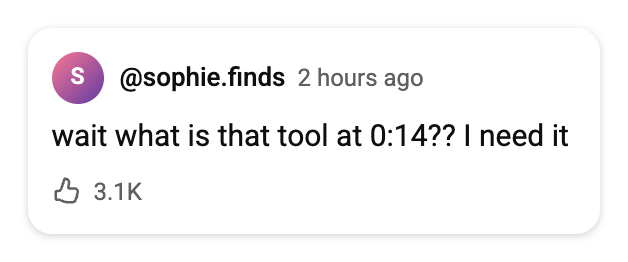
The Shorts ad opener: a curious YouTube comment your creator answers on camera. The most-used fake YouTube comment template for UGC ads.
Create fake YouTube comments & comment stickers for Shorts — download as transparent PNG. No signup.
This YouTube comment generator is a free online comment maker for creators, marketers and meme editors. Design a realistic comment sticker for your Shorts UGC ad, or build an entire fake YouTube comment section with nested replies, likes, pinned comments and creator hearts — then export a crisp, transparent image in one click.
Transparent background · no watermark · free
Start from a ready-made YouTube comment template instead of a blank form. Every template below is a real, editable preset — click Use this template and it loads straight into the generator with the avatars, likes, replies and language already set.
The Shorts ad opener: a curious YouTube comment your creator answers on camera. The most-used fake YouTube comment template for UGC ads.
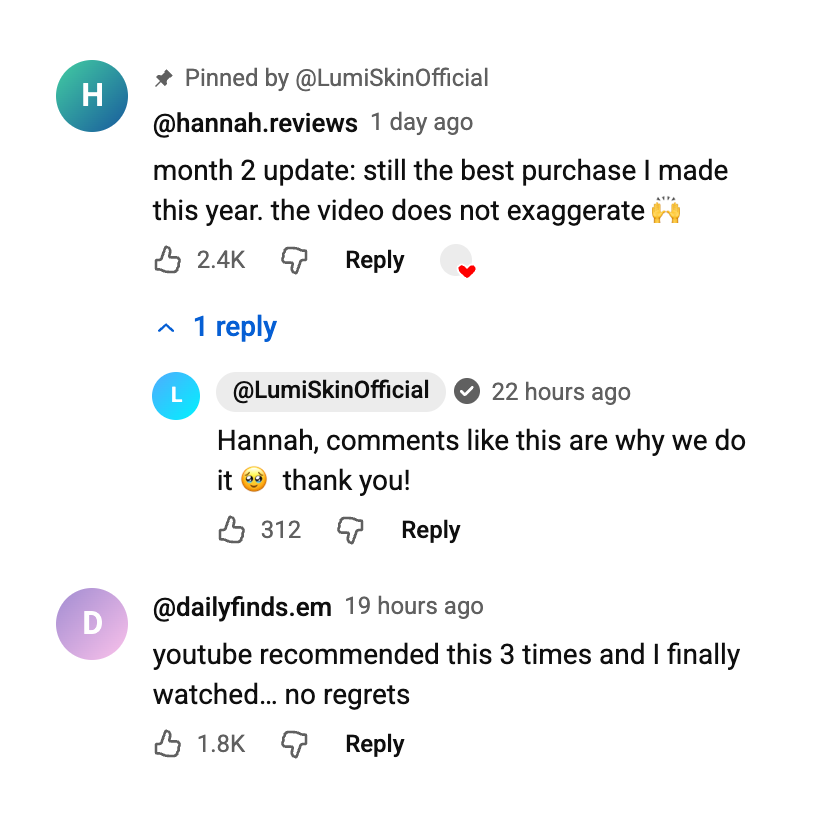
A fake YouTube comment section with a pinned customer comment, creator heart and a verified channel reply — social proof mockup for ads and landing pages.
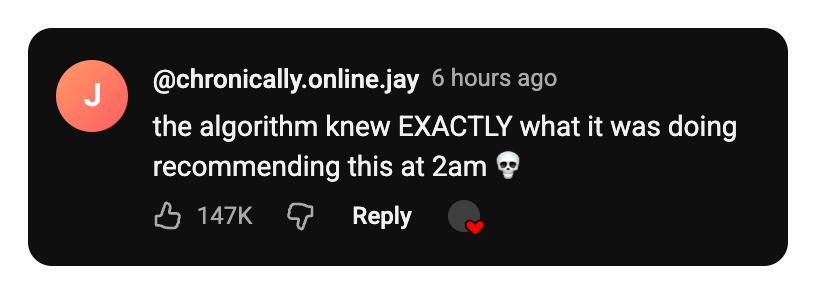
A dark-mode YouTube comment with huge likes — the meme-bait template for reaction videos and community screenshots.
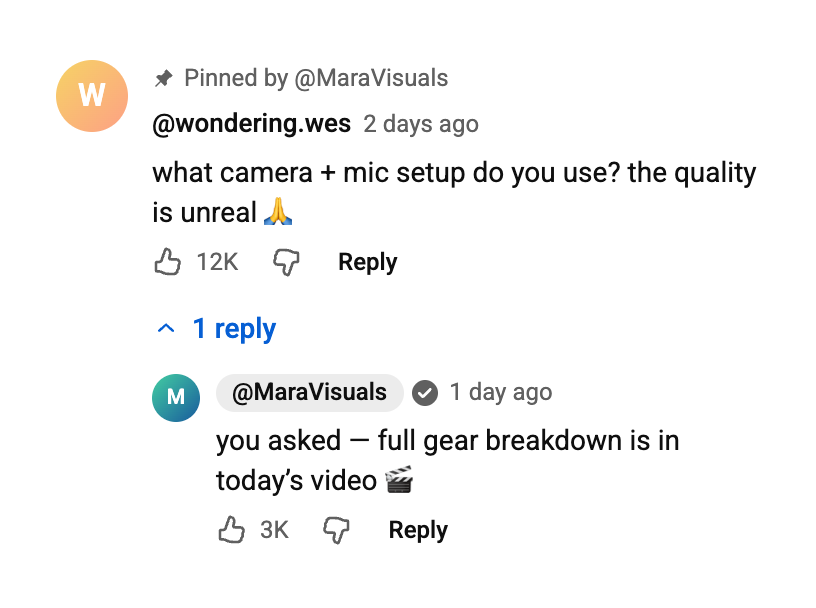
A pinned viewer question with the creator’s highlighted reply — the comment template for Q&A videos and tutorials.
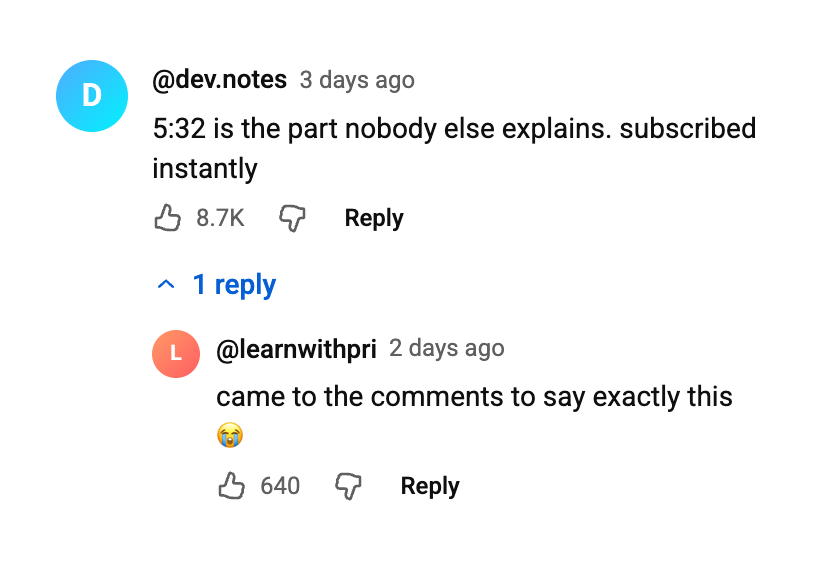
The classic "5:32 saved my life" tutorial comment with grateful replies — a realistic thread mockup for how-to and course videos.
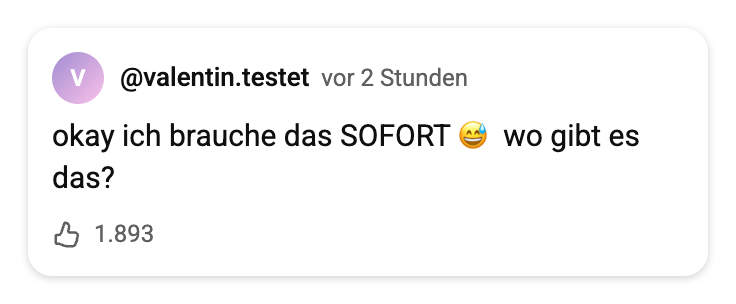
A German-language YouTube comment sticker — switch the card language to make realistic fake YouTube comments for any market.
An empty YouTube comment template with placeholder name and text. Type your own words in the generator, or download the blank PNG and add text in your video editor.
Every image below was exported straight from this comment generator — transparent-background YouTube comment PNGs you can drop into a Short or slide as-is, or recreate with your own text using the templates above.
A blank YouTube comment template is the same comment card you see
above, just with placeholder text: a generic
@username, an empty comment line and a neutral
avatar. Designers drop it into mockups and lesson slides, and
video editors use it as a base layer they type over directly in
CapCut or Premiere.
You can use the blank template two ways. Download the transparent PNG on the right and fill in the text inside your own editor, or load the template into the generator, type your words there, and export a finished fake YouTube comment template with the exact fonts, spacing and thumbs-up icon YouTube uses. The second way keeps the text crisp at any size, so it is the better option for Shorts overlays.
Like every YouTube comment template on this page, the blank version is free, has no watermark, and exports at 2x resolution with a transparent background.
Because it saves as a YouTube comment template PNG, the file drops straight onto any layout, thumbnail or slide without a white box around it. Prefer a filled example over a blank one? The fake YouTube comment template presets above load in one click, so you can start from a realistic comment and just swap the words.
Edit the blank template →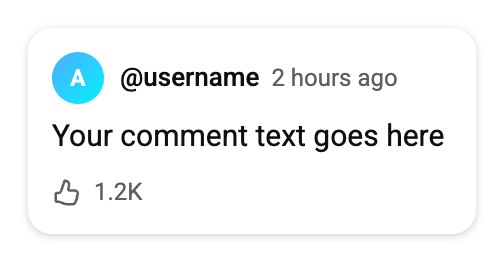 Download the blank PNG
 A fake YouTube comment only works when nobody stops to question it. That is why this tool recreates the YouTube comment UI detail by detail: the @handle in YouTube’s exact near-black, the gray verified checkmark (YouTube’s badge is gray, not blue), the "2 hours ago" time stamp, the thumbs up and thumbs down row with the Reply button, the red creator heart, the channel owner’s name in its gray highlight pill, and the indented reply threads behind the blue "12 replies" toggle. You control every field — handle, likes, time, avatar — so the finished screenshot matches the story you are telling.
Both card themes are included. Making a fake YouTube comment for a dark-mode screen recording? Switch to dark and the card flips to YouTube’s near-black palette automatically.
The comment sticker — a clean comment card layered over a video — is the same hook format that dominates TikTok and Reels UGC ads, and it works just as hard on Shorts. The creator "answers" a curious comment on camera, and the ad instantly feels like a genuine response instead of a pitch.
With Comment sticker mode you script that hook yourself: write the question your ideal customer would ask ("wait what is that tool at 0:14??"), give it a believable @handle and like count, and export a transparent comment sticker that drops straight onto your footage in CapCut or Premiere. Because the PNG has no background, it layers over any Short without a white box.
Choose Comment sticker for a single YouTube comment card (the Shorts ad classic) or Comment section to build a full thread with nested replies.
Type the @handle and comment text, set likes and the "2 hours ago" time, and pick an avatar — upload your own image or use a color preset with initials.
Toggle the gray verified checkmark, pin the comment, add the red creator heart, mark the channel owner with the Creator tag, switch dark or light theme, and set the card language for your market.
Export a transparent, high-resolution PNG (2x or 3x) or copy it straight to your clipboard and drop it into CapCut, Premiere or your ad builder.
Comments are the most trusted pixels on the screen. Viewers skip pre-rolls and scroll past descriptions, but they read what other people said. A well-placed fake YouTube comment borrows that trust — which is why the comment sticker format keeps showing up in the best-performing Shorts ads.
Open with a comment sticker asking the exact question your product answers. The creator responds on camera and the ad plays like content, not advertising.
Build a YouTube comment section screenshot full of enthusiastic reactions for landing pages, course sales pages and case-study decks — clearly labelled as illustrative.
Stage the "top comment" for reaction content, or storyboard a comment-reply video concept before you shoot it — no screenshots of real people needed.
The generator handles the pixels; these five details handle the believability:
Yes — the fake YouTube comment generator is completely free. No watermarks, no premium tier, no account. Type your comment, download the PNG, and drop it into your Short, video or ad.
No. Everything runs in your browser. You never log in, connect an account or share any personal data — just type, preview and download.
Using comment mockups for parody, memes, ads, storyboards or education is generally acceptable. What you should never do is present a fabricated comment as a real statement by a real person — make it clear your image is a mockup, avoid impersonating real channels, and follow YouTube’s Community Guidelines when you post.
High-resolution PNG with a transparent background, at 2x or 3x pixel density. A transparent YouTube comment PNG layers cleanly over any Short, video frame or slide with no white box around it.
Yes. Switch to Comment section mode and stack as many comments as you want, each with its own avatar, likes, nested replies and pinned state — then export the entire thread as one screenshot-style image.
All three. Every comment has toggles for YouTube’s gray verified checkmark, the "Pinned by" label and the red creator heart — plus the Creator tag that puts the channel owner’s name in the gray highlight pill, exactly like real YouTube.
Pick the Comment sticker mode, write the hook your creator will answer on camera (a curious question converts best), set a believable @handle and like count, then download the transparent PNG and layer it over your footage in CapCut, Premiere or your ad builder.
A believable @handle, odd like counts (3.1K reads more real than 999K), YouTube’s "2 hours ago" time format, the gray verified check (YouTube’s badge is gray, not blue), and the right theme for your footage. The realism checklist below covers all of it.
Yes. Every preset in the templates section above is a ready-made fake YouTube comment template — the pinned comment, the creator Q&A, the blank template and more. Click one to load it into the generator, edit the text, and export a fake YouTube comment template PNG with a transparent background. The blank YouTube comment template is the fastest starting point if you want to type your own words over an empty card.
Yes. The generator is built mobile-first: edit the fields, tap Preview to check the live card, and download the PNG straight to your camera roll.
Yes — the fake TikTok comment maker on our homepage and the Instagram comment generator work exactly the same way, with comment stickers, threads and the same transparent PNG export.
Fake TikTok comments, reply stickers & threads — the original tool this site is built around.
Fake IG comments & comment stickers for Reels — same transparent PNG export, same realism toggles.
Fake Facebook comments & comment stickers for Reels — gray bubbles, reactions and badges.
Fake iMessage & SMS conversations — read receipts, dark mode and transparent bubble stickers.
Fake Reddit posts & comment threads — upvote pills, OP badge and dark mode for storytime videos.
Fake Discord chats with role colors, bot APP badges and emoji reactions — dark mode by default.