Gaming Squad Banter
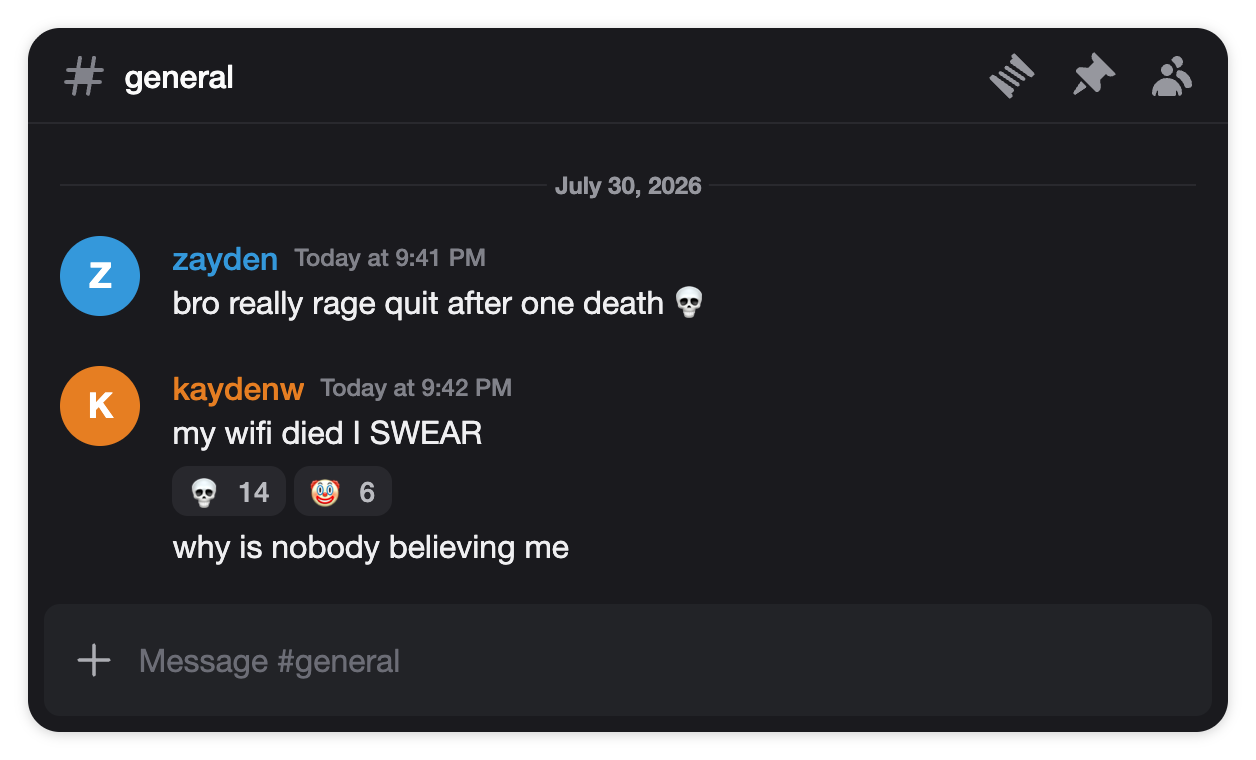
Friends roasting each other in #general — role-colored usernames, a 💀 reaction pile-on and a grouped follow-up message. The classic fake Discord chat screenshot for memes.
Create fake Discord messages & chats — role colors, bot APP badge, reactions, dark mode. Transparent PNG, no signup.
This fake Discord message generator is a free online tool for creators, meme editors and community managers. Build a realistic Discord chat with the #channel header, role-colored usernames, grouped messages and emoji reactions — then export a transparent PNG for your memes, videos and mockups.
Transparent background · no watermark · free
Start from a ready-made Discord chat instead of a blank form. Every template below is a real, editable preset — click Use this template and it loads straight into the generator with the channel, usernames, role colors and reactions already set.
Friends roasting each other in #general — role-colored usernames, a 💀 reaction pile-on and a grouped follow-up message. The classic fake Discord chat screenshot for memes.
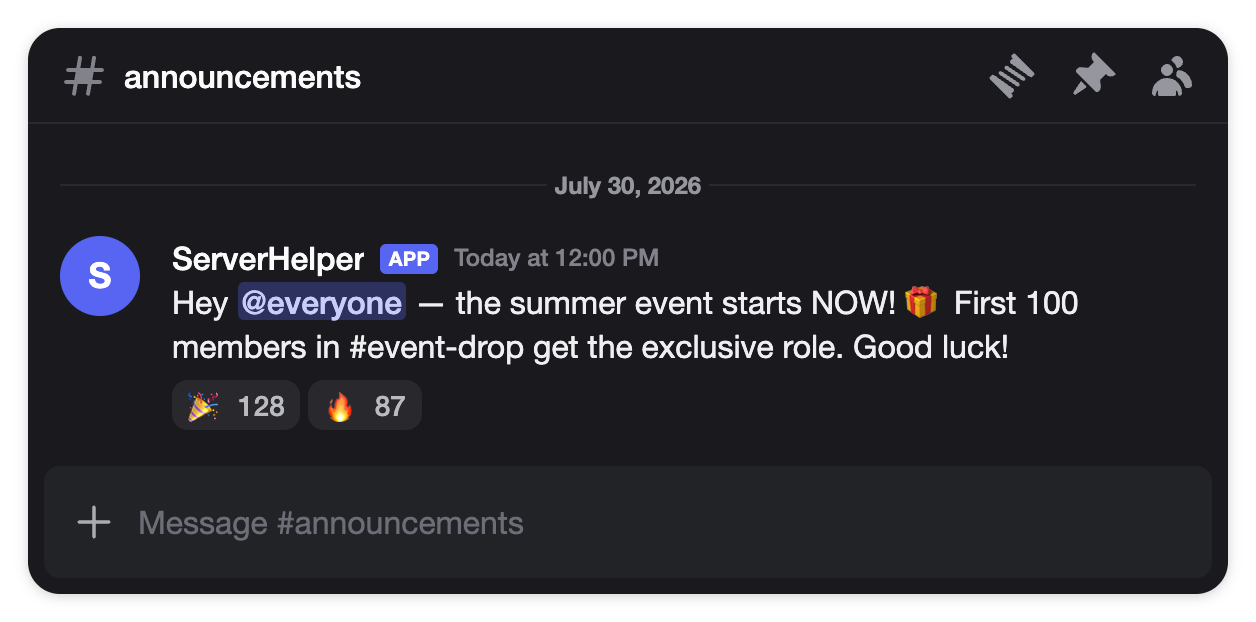
A fake Discord announcement in #announcements — bot message with the blue APP badge, an @everyone mention and celebration reactions. Built for giveaway and update mockups.
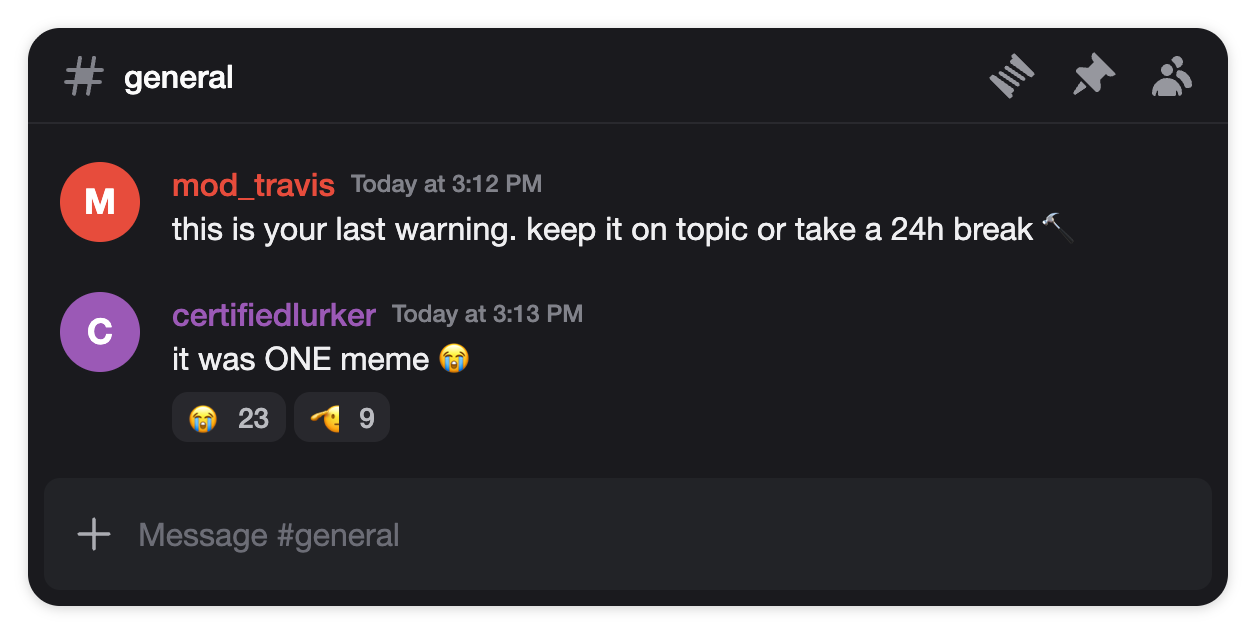
The red-name moderator warning followed by a member reply — the fake Discord message format behind every "discord mod" meme. Red role color included.
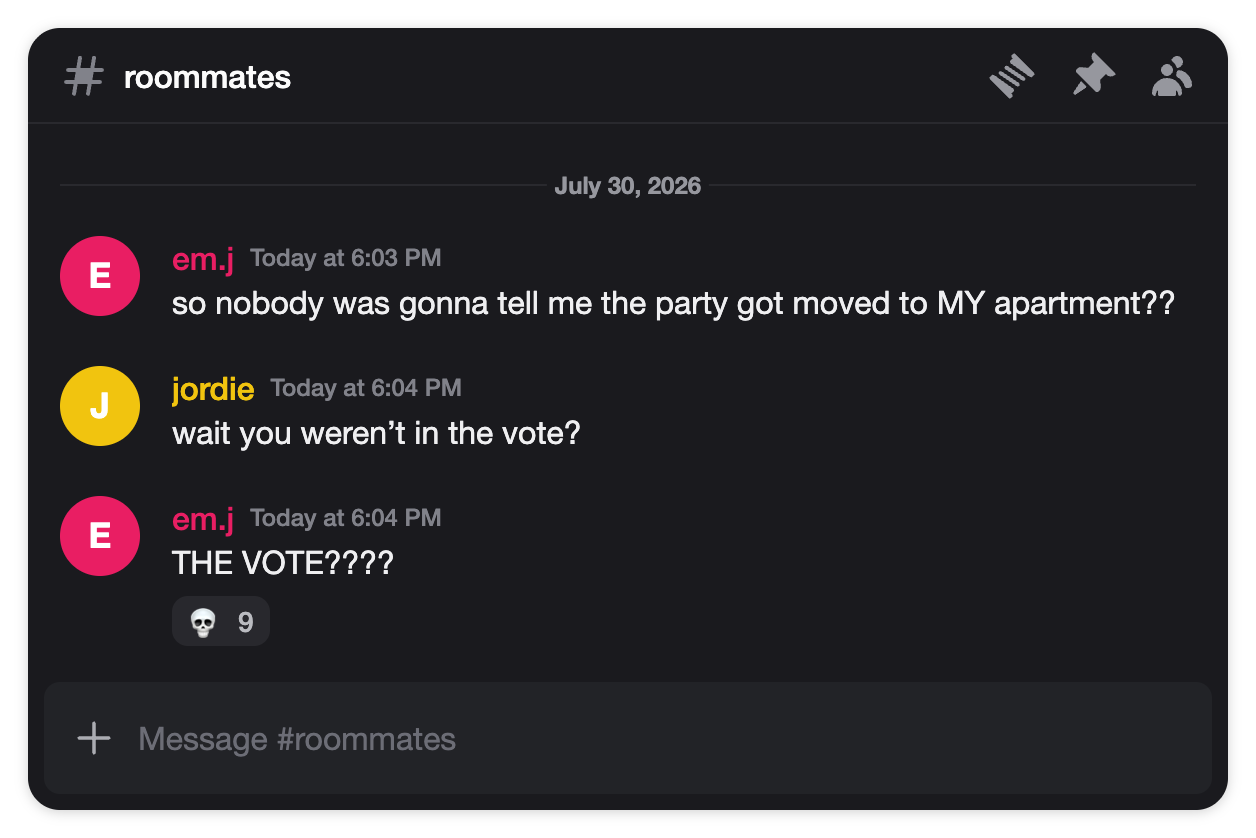
A fake Discord conversation with a cliffhanger — the drama screenshot format storytime TikToks are built on, complete with an all-caps reply and a 💀 reaction.
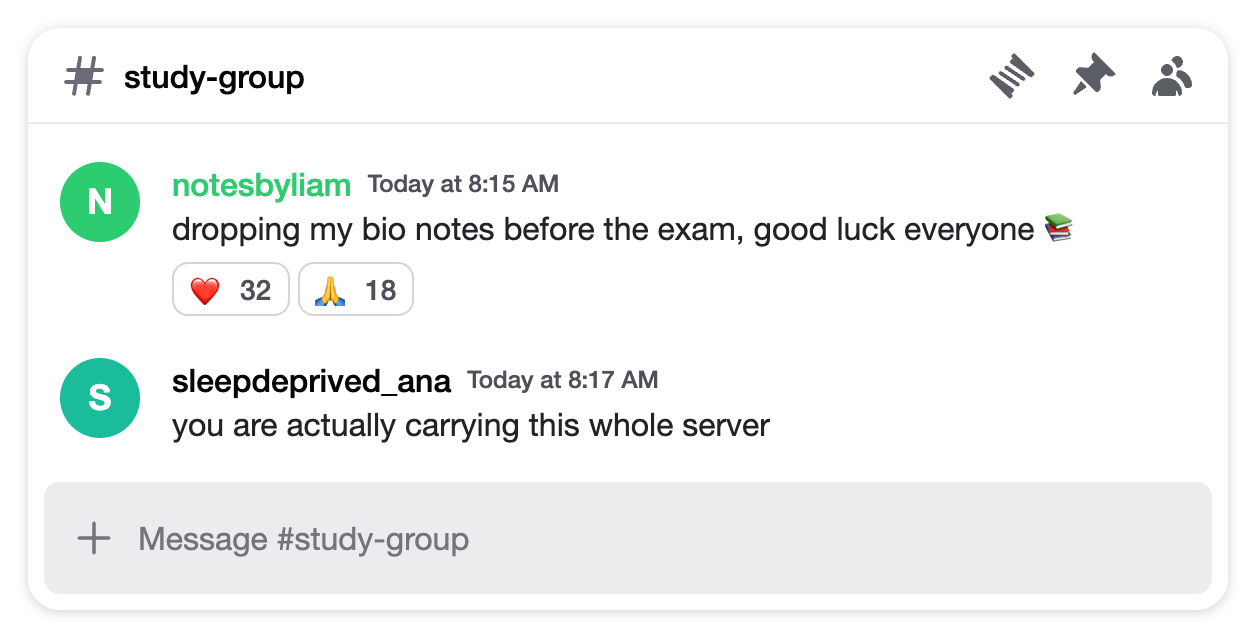
A light mode Discord message mockup — wholesome #study-group chat with heart reactions, for the minority of screenshots that are not dark mode.
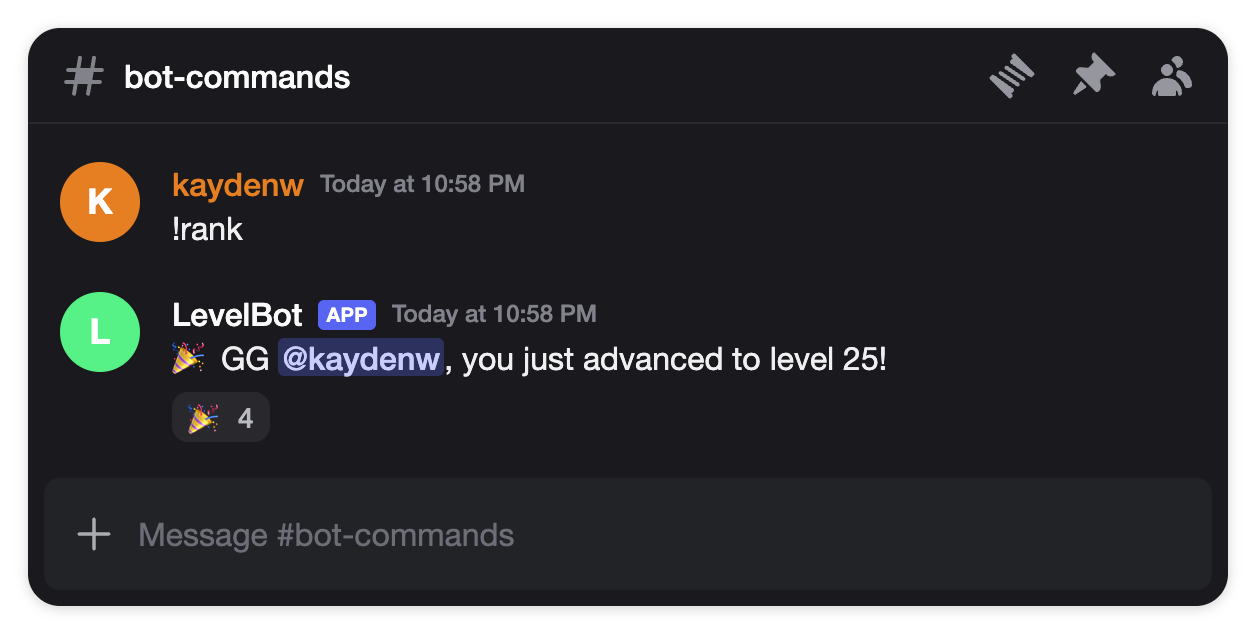
A member types the command and the bot answers with an @mention — the fake Discord bot message with the APP badge that rank and level-up screenshots use.
Every image below was exported straight from this generator — Discord chat PNGs you can drop into a video or meme as-is, or recreate with your own messages using the templates above.
A fake Discord message only works when nobody stops to question it. That is why this tool recreates the desktop chat UI detail by detail: the #channel header, the 40px round avatars, usernames in Discord role colors with the small gray timestamp, message text in the exact type size, date dividers, and the message input bar at the bottom. Even message grouping works like the real client — send two messages in a row as the same user and the second one drops its avatar and name line automatically.
Dark mode is the default, because that is what practically every real Discord screenshot looks like — the familiar dark gray chat over near-black chrome. One toggle flips the card to the white light theme for the rare light-mode server.
Half the Discord screenshots people recreate are not humans talking — they are bot messages: the level-up reply, the giveaway announcement, the welcome message. Switch any sender to Bot and the username gets the blue APP badge Discord puts on bots and apps. Type an @mention in the text — @everyone, @here or a username — and it renders with the blue-purple highlight, exactly like a real ping.
Finish it with emoji reactions. Type the emoji and a count — 🎉 128 — and the reaction pill appears under the message, the small detail that turns a mockup into a screenshot that reads as captured.
Choose Chat window for the full Discord look — #channel header, message stack and input bar — or Messages only for a clean crop of just the conversation.
Set a believable lowercase username, a timestamp like "Today at 9:41 PM", and the message text. Add more messages to build the back-and-forth — consecutive messages from the same person group automatically, like real Discord.
Give key users a role color (red mod, blue regular), switch a sender to Bot for the APP badge, type an @mention, and add emoji reactions with counts like 💀 14.
Export a transparent, high-resolution PNG (2x or 3x) or copy it straight to your clipboard and drop it into CapCut, Premiere or your meme editor.
Discord is where gaming culture, fandoms and communities actually talk — which makes a Discord chat the native format for an entire genre of memes and story content. The screenshot is the joke.
The mod warning, the rage-quit excuse, the bot that pings at 3am — stage the exact exchange your meme needs without exposing a real server.
Recreate the group chat argument for your TikTok or YouTube story — the Discord format instantly tells viewers "this really happened in a server".
Show what your bot's reply will look like, storyboard a community announcement, or mock up a server interaction for a pitch deck — without screenshotting real members.
The generator handles the pixels; these five details handle the believability:
Yes — completely free. No watermarks, no premium tier, no account. Type the messages, download the PNG, and drop it into your video, meme or slide.
Yes. Chat window mode renders the whole thing — the #channel header, a stack of messages with avatars and role-colored usernames, date dividers and the message input bar at the bottom. Messages only mode gives you just the message stack for tighter crops.
Yes. Switch any message sender to Bot and the username gets the blue APP badge Discord gives bots and apps. Combine it with an @mention and a reaction and you have the classic level-up or announcement screenshot.
Using Discord chat mockups for memes, videos, storyboards, tutorials or ads is generally acceptable. What you should never do is present a fabricated message as something a real person actually said, use it as evidence, or impersonate someone — make it clear your image is a mockup.
High-resolution PNG at 2x or 3x pixel density with a transparent background around the rounded card, so it layers cleanly over any video or image — no white box.
Yes — every message has a name color picker with Discord’s role palette: red for mods, blue, green, purple and the rest. Role colors are one of the details that make a Discord screenshot read as real.
Yes. Type an emoji and a count — like 💀 14 — and it renders as the reaction pill under the message. Add several to stage a proper reaction pile-on.
Yes. Dark mode is the default because that is what almost every real Discord screenshot looks like, but one toggle switches the card to the white light theme.
Yes. The generator is built mobile-first: edit the fields, tap Preview to check the live card, and download the PNG straight to your camera roll.
Yes — the fake TikTok comments generator on our homepage plus the Instagram, YouTube and Facebook comment generators, the fake Reddit post generator and the fake text message generator work the same way, with the same transparent PNG export.
Fake TikTok comments, reply stickers & threads — the original tool this site is built around.
Fake IG comments & comment stickers for Reels — same transparent PNG export.
Fake YouTube comments with creator hearts and the gray verified check.
Fake FB comments with Top fan badges, reactions and nested replies.
Fake Reddit posts & comment threads with upvotes, OP badge and dark mode.
Fake iMessage & SMS conversations with read receipts and transparent bubble stickers.