UGC Ad Hook — Text Message Sticker
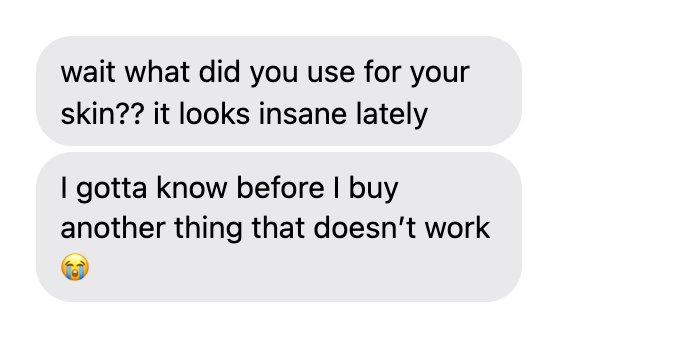
The video opener: a friend texts the exact question your ad answers. Transparent bubble sticker to overlay on TikToks and Reels — the most-used fake text message template for UGC ads.
Create fake iMessage & SMS conversations — blue or green bubbles, read receipts, dark mode. Transparent PNG, no signup.
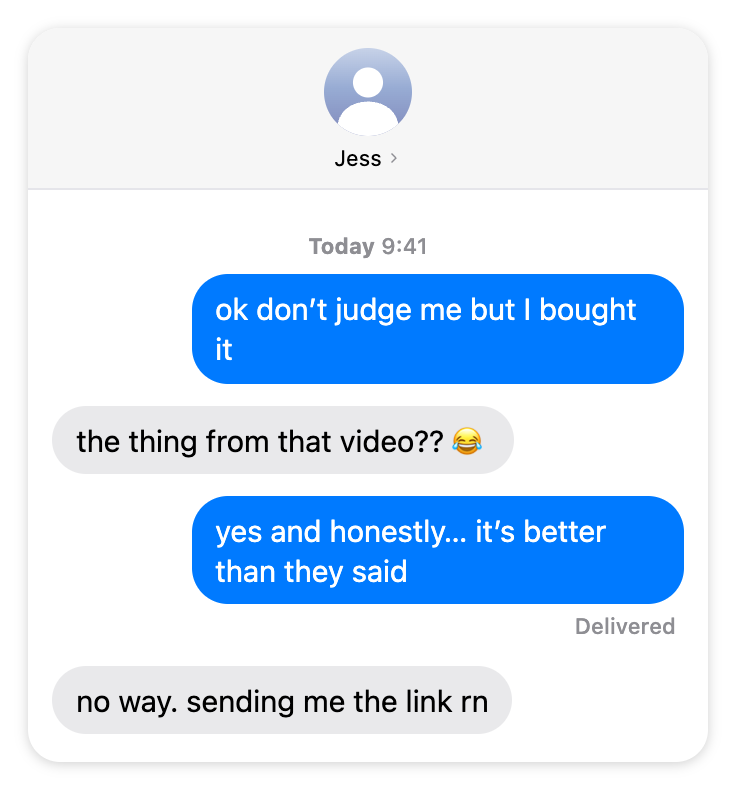
This fake text message generator is a free online tool for creators, meme editors and marketers. Build a realistic iPhone conversation with the contact header, "Today 9:41" separator and Delivered receipt — or export transparent text bubbles to overlay on your TikToks, Reels and storytime videos.
Transparent background · no watermark · free
Start from a ready-made text conversation instead of a blank form. Every template below is a real, editable preset — click Use this template and it loads straight into the generator with the messages, bubble colors, receipts and language already set.
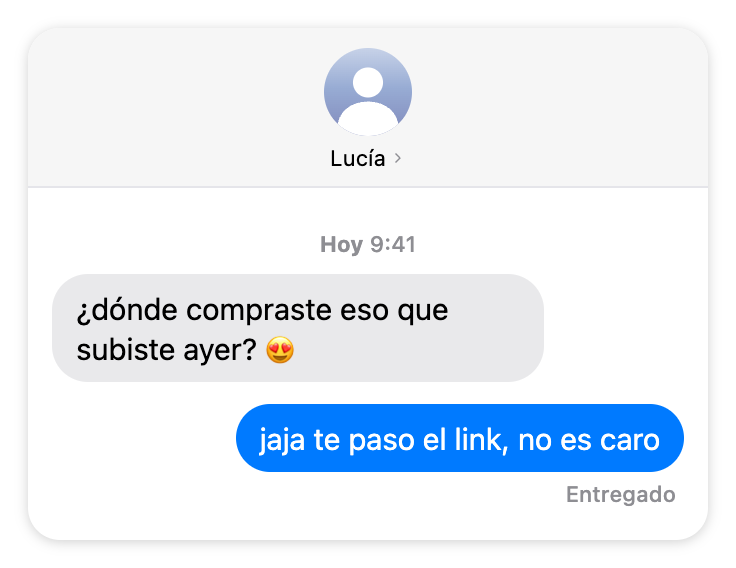
The video opener: a friend texts the exact question your ad answers. Transparent bubble sticker to overlay on TikToks and Reels — the most-used fake text message template for UGC ads.
A realistic fake iMessage conversation with contact header, Today separator and Delivered receipt — the classic iPhone text screenshot mockup.
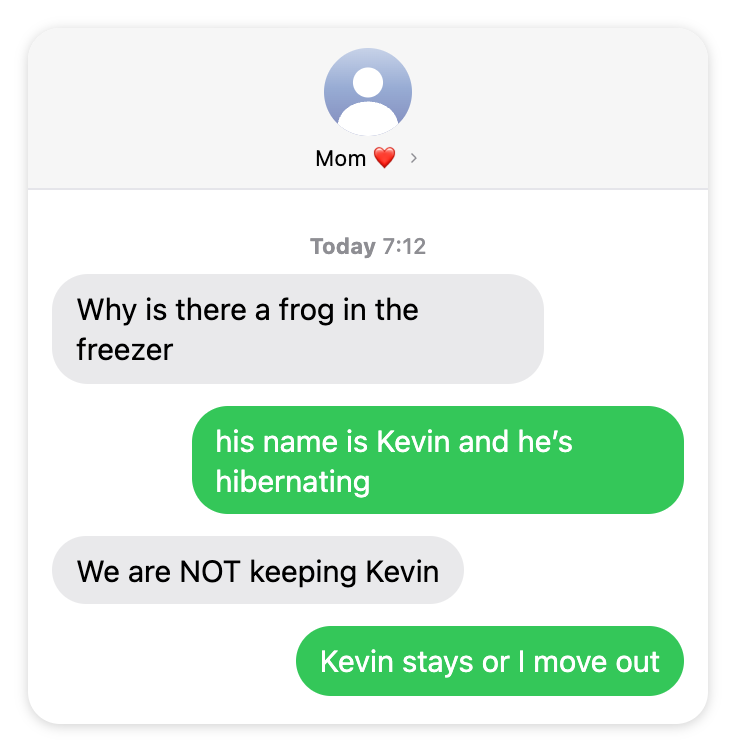
The green-bubble SMS prank template — a chaotic mom conversation for memes and reaction videos. Fully editable fake text message screenshot.
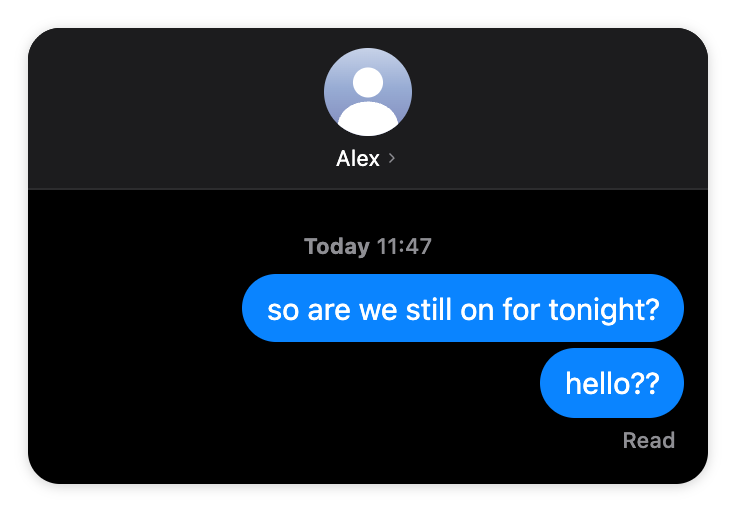
A dark-mode fake iMessage thread with the Read receipt — the "left on read" template for storytime videos and memes.
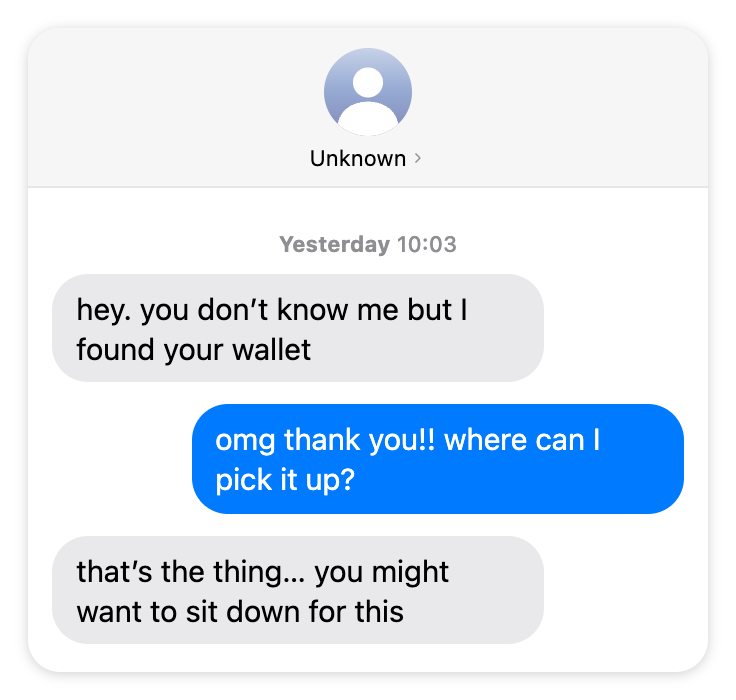
A longer fake text conversation built for storytime content — alternating bubbles, time separator, and a cliffhanger last message.
A Spanish-language fake text message with localized Entregado receipt — switch the card language to make realistic text screenshots for any market.
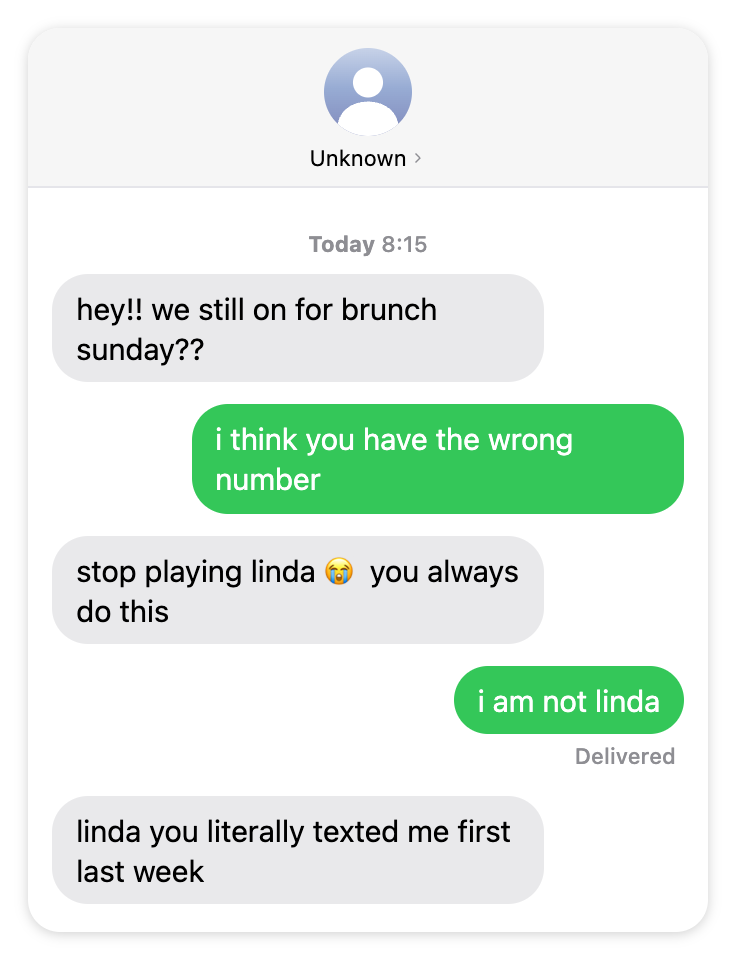
The wrong-number text prank that will not quit — a stranger convinced they know you. A fake text message prank template built for reaction and storytime videos.
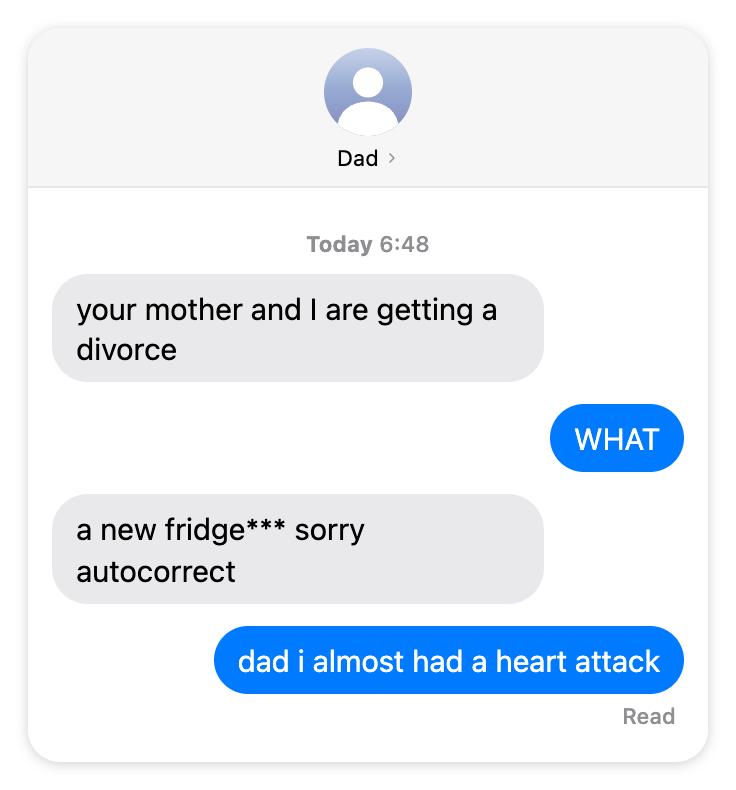
The autocorrect-fail text message prank — the typo that changes everything, then the panic. A funny fake text screenshot for memes and prank videos.
Every image below was exported straight from this generator — text message PNGs you can drop into a video or slide as-is, or recreate with your own conversation using the templates above.
A fake text message only works when nobody stops to question it. That is why this tool recreates the iPhone Messages UI detail by detail: the contact header with the avatar and tiny name, the exact iMessage blue and SMS green, the gray received bubbles, the centered "Today 9:41" separator, and the Delivered or Read receipt tucked under your last sent message. You control every field, so the finished screenshot matches the story you are telling.
Both themes are included. Making a fake text conversation for a dark-mode screenshot? Switch to dark and the card flips to the iOS dark palette automatically — black background, dark gray bubbles and the brighter dark-mode blue.
If iMessage is all you need, this doubles as a dedicated iMessage generator: keep the bubbles blue, set the contact and receipt, and it behaves like an iMessage maker built for one job. As an iMessage creator it exports the finished chat as a transparent iMessage generator PNG, so the blue-bubble screenshot layers cleanly into a video or slide with no white box around it.
Most text message makers only export a full phone screenshot. This one also does what our comment generators are known for: a transparent Bubble sticker mode that exports just the message bubbles, no background — made for layering over video.
It is the storytime format: the video opens on a text that sets up the drama ("wait what did you use for your skin??"), the creator reacts, and viewers stay for the answer. Write the two or three messages that hook your audience, export the transparent PNG, and drop it onto your footage in CapCut or Premiere — no cropping, no white box.
A text message prank lives or dies on one thing: it has to look like a screenshot someone actually took. That is what this generator is for. Stage the wrong-number stranger who won’t quit, the autocorrect fail that nearly ends a family, or the chaotic mom text, then export a clean fake text screenshot you can post or react to. No real person, no real number, no one gets hurt.
The two prank templates below load straight into the generator, fully editable. Swap the names, change the bubbles between iMessage blue and SMS green, and rewrite the punchline so the joke is yours.
The green-bubble SMS prank template — a chaotic mom conversation for memes and reaction videos. Fully editable fake text message screenshot.
The wrong-number text prank that will not quit — a stranger convinced they know you. A fake text message prank template built for reaction and storytime videos.
Want a spam-text bit, a group-chat pile-on or a “new phone who dis” gag instead? Every field is editable — open the generator and build your own fake text message prank from scratch.
Choose Chat screenshot for a full iPhone conversation card with the contact header, or Bubble sticker for transparent message bubbles to overlay on a video.
Add messages one by one and flip each bubble between "Them" (gray, left) and "You" (colored, right). Set the contact name and avatar for the header.
Switch between iMessage blue and SMS green, add a "Today 9:41" time separator, turn on the Delivered or Read receipt, pick dark or light mode, and set the language for your market.
Export a transparent, high-resolution PNG (2x or 3x) or copy it straight to your clipboard and drop it into CapCut, Premiere or your meme editor.
A text conversation is the most intimate format on a screen — it reads as something you were not supposed to see. That is exactly why text screenshots dominate storytime TikToks, meme pages and UGC ad hooks.
Open on the text that starts the drama, then tell the story. The bubble sticker overlays straight onto your footage.
A friend texting "what did you use??" is social proof in its most native form — script the exact question your product answers.
The chaotic mom text, the "left on read" screenshot, the unknown number — stage the conversation without exposing anyone’s real chats.
The generator handles the pixels; these five details handle the believability:
Yes — completely free. No watermarks, no premium tier, no account. Type the conversation, download the PNG, and drop it into your video, meme or slide.
Yes. One toggle switches the sent bubbles between iMessage blue and SMS green, in light or dark mode — so you can recreate exactly the kind of screenshot your story needs.
Using text message mockups for memes, storytime videos, ads, storyboards or education is generally acceptable. What you should never do is present a fabricated conversation as a real statement by a real person, use it as evidence, or impersonate someone — make it clear your image is a mockup.
High-resolution PNG at 2x or 3x pixel density. The Bubble sticker mode exports with a fully transparent background, so the bubbles layer cleanly over any video or image with no white box around them.
Yes — choose None, Delivered or Read and the receipt appears under your last sent bubble, exactly where iOS puts it. The "left on read" screenshot is one toggle away.
Every message has an optional separator field. Type "Today 9:41", "Yesterday 10:03" or anything else and it renders as the centered gray timestamp iOS shows between message groups.
Pick Bubble sticker mode, write the two or three messages that set up your story, and download the transparent PNG. Layer it over your footage in CapCut or Premiere — the same overlay trick used by the biggest storytime and UGC ad creators.
Natural texting language (lowercase, typos, no perfect grammar), believable contact names, the right bubble color for the story, a time separator, and a Delivered or Read receipt. The realism checklist below covers all of it.
Yes. The generator is built mobile-first: edit the fields, tap Preview to check the live conversation, and download the PNG straight to your camera roll.
Yes. Keep the sent bubbles on blue and it works as a dedicated iMessage generator — an iMessage maker for the classic blue-bubble iPhone screenshot, complete with the contact header, Delivered or Read receipt and light or dark mode. As an iMessage creator it exports a transparent iMessage generator PNG, so the finished chat drops onto a video or slide with no white box.
Pick a prank template — the wrong-number stranger, the autocorrect fail or the chaotic mom text — or start blank. Set believable contact names, keep the language casual, and land the joke on the last bubble. Export the PNG and post it or use it as the setup for a reaction video. Because nothing is sent to a real number, a text prank made here is harmless — it is a mockup, not a real message.
Yes — the TikTok comment mockup maker on our homepage plus the Instagram, YouTube and Facebook comment generators work the same way, with comment stickers, threads and the same transparent PNG export.
Fake TikTok comments, reply stickers & threads — the original tool this site is built around.
Fake IG comments & comment stickers for Reels — same transparent PNG export.
Fake YouTube comments with creator hearts and the gray verified check.
Fake FB comments with Top fan badges, reactions and nested replies.
Fake Reddit posts & comment threads — upvote pills, OP badge and dark mode for storytime videos.
Fake Discord chats with role colors, bot APP badges and emoji reactions — dark mode by default.